October 15th, 2025

2 Min Read

GA4 Tracking Made Simple: Setup Guide for Smarter Campaign Insights

Don’t run campaigns in the dark. Learn how to properly set up Google Analytics 4 (GA4), configure essential events, and capture the metrics that actually show what’s working. Includes a practical checklist for every business.

Fix Your Tracking Now

Fix Your Tracking Now

Book a Demo

Follow us:

How to Set Up GA4 Tracking (and What to Track to Measure Campaign Success)

Running campaigns without tracking is like driving blindfolded.
You tweak, you test, you spend — but without the right tracking, you’re guessing instead of improving.

The good news? Google Analytics 4 (GA4) gives you everything you need to see what’s actually driving conversions, leads, and engagement.
You just need to set it up right.


Step 1 — Set Up Your GA4 Property Correctly

Before you can start tracking, you need to make sure GA4 is correctly installed and connected to your website. Setting up your GA4 property the right way ensures that all your data flows accurately into your reports.

  1. Create a new GA4 property in your Google Analytics account.

  2. Add your website as a data stream and install the GA4 tag using Google Tag Manager or by pasting it directly into your site’s header.

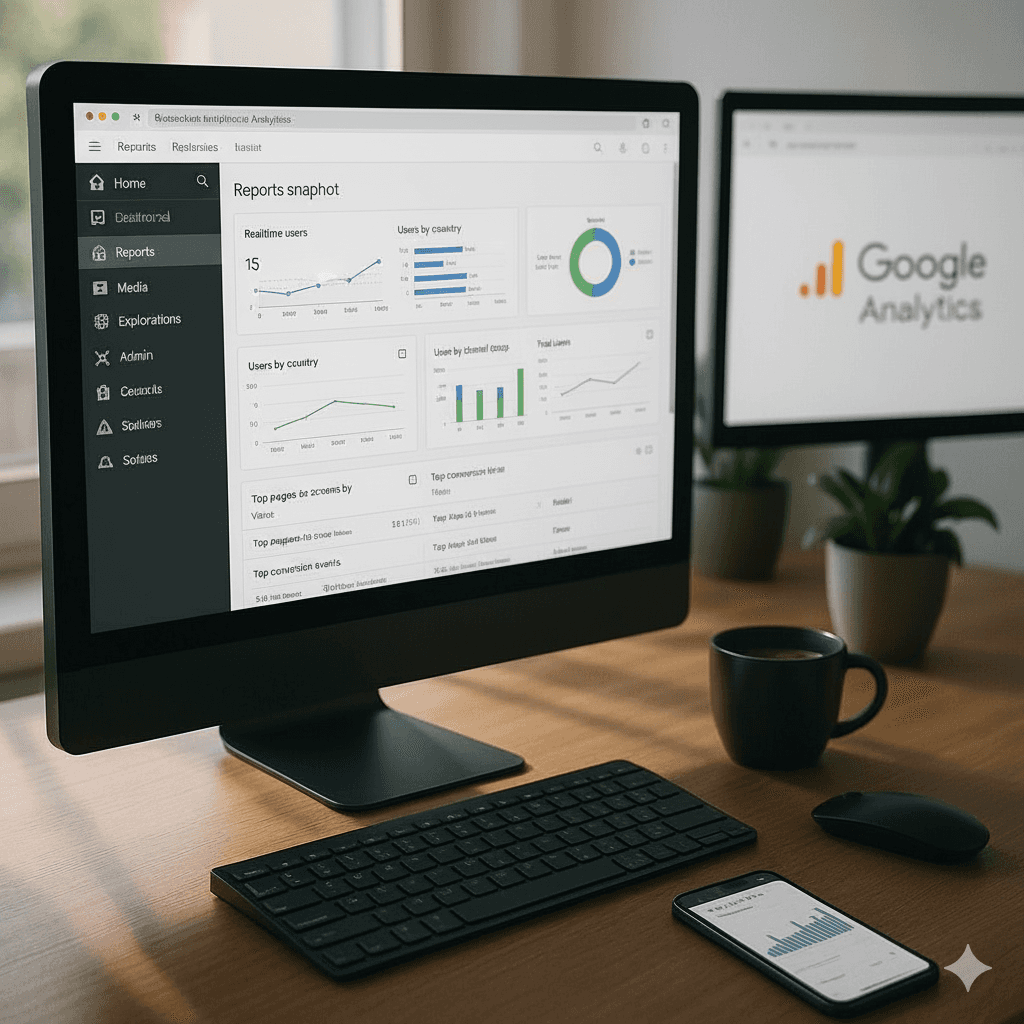
  3. Verify your setup using the Realtime report to confirm that data is being received correctly.

  4. Enable Enhanced Measurement to automatically capture key user interactions like scrolls, outbound clicks, video plays, and downloads — no manual tagging required.

  5. Link your GA4 property to Google Ads and Search Console so campaign and keyword data flow seamlessly into your analytics.

Doing this properly lays the foundation for reliable website analytics and ensures your GA4 tracking setup captures every key user interaction from day one.

Step 2 — Configure Core Conversion Events

Once your property is live, it’s time to define what success looks like for your campaigns. In GA4, these are called conversion events — the actions you want your visitors to take.

  1. Identify your main conversion actions — such as form submissions, CTA clicks, purchases, or sign-ups.

  2. Create or enable relevant events in GA4, like form_submit, click_cta, add_to_cart, begin_checkout, and purchase.

  3. Add event parameters such as page_path, campaign_source, and button_text to understand which campaigns or pages drive each action.

  4. Mark your most important actions as conversions under “Admin → Events” in GA4.

When you set up conversion events this way, you’re no longer tracking vanity metrics — you’re tracking real impact. Your GA4 reports start showing exactly what drives leads and revenue instead of just clicks and visits.

Step 3 — Capture Campaign Data with UTM Tagging

Even a perfect GA4 setup won’t help if you don’t know which campaigns your traffic came from. That’s where UTM tracking comes in — simple URL tags that let GA4 attribute users and conversions to specific ads, emails, or posts.

  1. Add UTM parameters to every campaign URL:

    • utm_source (e.g., google, facebook, linkedin)

    • utm_medium (e.g., cpc, email, referral)

    • utm_campaign (your campaign name)

    • utm_content (optional — for A/B testing creatives)

  2. Use a consistent naming convention so your reports stay clean and readable across teams and channels.

  3. Test your tagged URLs in GA4’s Realtime report to make sure traffic is correctly attributed to the right campaign.

Once your UTM structure is consistent, GA4 can show you exactly which campaigns drive the most conversions — helping you optimize spend and double down on what works.

Step 4 — Build Custom Reports to See What’s Working

After your tracking and campaign data are set up, the next step is to build custom GA4 reports that highlight what really matters. The “Explore” workspace in GA4 gives you powerful ways to visualize performance and user journeys.

  1. Build funnel explorations (e.g., Ad Click → Landing Page → Form Submit → Thank-you Page) to spot drop-offs in your conversion path.

  2. Use path explorations to see how users navigate through your site after landing — which pages they visit, and where they exit.

  3. Add key dimensions and metrics like Source, Campaign, Event Count, and Conversions to evaluate channel performance.

  4. Compare campaigns directly to understand which traffic sources bring the highest-quality users.

  5. Share or connect your reports to Looker Studio to build simple, visual dashboards your team can use daily.

Custom GA4 reports turn your data into clear insights — instead of drowning you in numbers, they tell you what to fix, where to focus, and how to scale.

Step 5 — Audit Your Tracking Regularly

Your website and campaigns evolve constantly — and your GA4 setup should evolve with them. Regular tracking audits keep your analytics clean, accurate, and trustworthy.

  1. Run a monthly or quarterly audit to verify that all events and conversions are still firing properly.

  2. Check that your UTM tags are consistent across all active campaigns and not being overwritten by redirects.

  3. Cross-check GA4 data with your ad platforms or CRM to spot discrepancies early.

  4. Review your Tag Manager container for outdated tags or duplicates that might cause double counting.

  5. Document every update to your tracking setup, so you always have a clear changelog when something breaks.

Regular audits prevent data drift — ensuring your GA4 tracking stays reliable, your decisions stay informed, and your reports stay credible.

From Guesswork to Growth

When your GA4 tracking setup is done right, you can finally stop guessing which campaigns work and start focusing on what actually drives results. Every ad, email, and post becomes measurable — and every decision becomes smarter.

If you want to skip the complexity and set up everything the right way from day one, our GA4 All-in-One Setup covers it all — from property creation and event configuration to campaign tagging and audits.

Step 2 — Configure Core Conversion Events

Once your property is live, it’s time to define what success looks like for your campaigns. In GA4, these are called conversion events — the actions you want your visitors to take.

  1. Identify your main conversion actions — such as form submissions, CTA clicks, purchases, or sign-ups.

  2. Create or enable relevant events in GA4, like form_submit, click_cta, add_to_cart, begin_checkout, and purchase.

  3. Add event parameters such as page_path, campaign_source, and button_text to understand which campaigns or pages drive each action.

  4. Mark your most important actions as conversions under “Admin → Events” in GA4.

When you set up conversion events this way, you’re no longer tracking vanity metrics — you’re tracking real impact. Your GA4 reports start showing exactly what drives leads and revenue instead of just clicks and visits.

Step 3 — Capture Campaign Data with UTM Tagging

Even a perfect GA4 setup won’t help if you don’t know which campaigns your traffic came from. That’s where UTM tracking comes in — simple URL tags that let GA4 attribute users and conversions to specific ads, emails, or posts.

  1. Add UTM parameters to every campaign URL:

    • utm_source (e.g., google, facebook, linkedin)

    • utm_medium (e.g., cpc, email, referral)

    • utm_campaign (your campaign name)

    • utm_content (optional — for A/B testing creatives)

  2. Use a consistent naming convention so your reports stay clean and readable across teams and channels.

  3. Test your tagged URLs in GA4’s Realtime report to make sure traffic is correctly attributed to the right campaign.

Once your UTM structure is consistent, GA4 can show you exactly which campaigns drive the most conversions — helping you optimize spend and double down on what works.

Step 4 — Build Custom Reports to See What’s Working

After your tracking and campaign data are set up, the next step is to build custom GA4 reports that highlight what really matters. The “Explore” workspace in GA4 gives you powerful ways to visualize performance and user journeys.

  1. Build funnel explorations (e.g., Ad Click → Landing Page → Form Submit → Thank-you Page) to spot drop-offs in your conversion path.

  2. Use path explorations to see how users navigate through your site after landing — which pages they visit, and where they exit.

  3. Add key dimensions and metrics like Source, Campaign, Event Count, and Conversions to evaluate channel performance.

  4. Compare campaigns directly to understand which traffic sources bring the highest-quality users.

  5. Share or connect your reports to Looker Studio to build simple, visual dashboards your team can use daily.

Custom GA4 reports turn your data into clear insights — instead of drowning you in numbers, they tell you what to fix, where to focus, and how to scale.

Step 5 — Audit Your Tracking Regularly

Your website and campaigns evolve constantly — and your GA4 setup should evolve with them. Regular tracking audits keep your analytics clean, accurate, and trustworthy.

  1. Run a monthly or quarterly audit to verify that all events and conversions are still firing properly.

  2. Check that your UTM tags are consistent across all active campaigns and not being overwritten by redirects.

  3. Cross-check GA4 data with your ad platforms or CRM to spot discrepancies early.

  4. Review your Tag Manager container for outdated tags or duplicates that might cause double counting.

  5. Document every update to your tracking setup, so you always have a clear changelog when something breaks.

Regular audits prevent data drift — ensuring your GA4 tracking stays reliable, your decisions stay informed, and your reports stay credible.

From Guesswork to Growth

When your GA4 tracking setup is done right, you can finally stop guessing which campaigns work and start focusing on what actually drives results. Every ad, email, and post becomes measurable — and every decision becomes smarter.

If you want to skip the complexity and set up everything the right way from day one, our GA4 All-in-One Setup covers it all — from property creation and event configuration to campaign tagging and audits.


Step 2 — Configure Core Conversion Events


Once your property is live, it’s time to define what success looks like for your campaigns. In GA4, these are called conversion events — the actions you want your visitors to take.

  1. Identify your main conversion actions — such as form submissions, CTA clicks, purchases, or sign-ups.

  2. Create or enable relevant events in GA4, like form_submit, click_cta, add_to_cart, begin_checkout, and purchase.

  3. Add event parameters such as page_path, campaign_source, and button_text to understand which campaigns or pages drive each action.

  4. Mark your most important actions as conversions under “Admin → Events” in GA4.

When you set up conversion events this way, you’re no longer tracking vanity metrics — you’re tracking real impact. Your GA4 reports start showing exactly what drives leads and revenue instead of just clicks and visits.

Step 3 — Capture Campaign Data with UTM Tagging


Even a perfect GA4 setup won’t help if you don’t know which campaigns your traffic came from. That’s where UTM tracking comes in — simple URL tags that let GA4 attribute users and conversions to specific ads, emails, or posts.


  1. Add UTM parameters to every campaign URL:

    • utm_source (e.g., google, facebook, linkedin)

    • utm_medium (e.g., cpc, email, referral)

    • utm_campaign (your campaign name)

    • utm_content (optional — for A/B testing creatives)

  2. Use a consistent naming convention so your reports stay clean and readable across teams and channels.

  3. Test your tagged URLs in GA4’s Realtime report to make sure traffic is correctly attributed to the right campaign.


Once your UTM structure is consistent, GA4 can show you exactly which campaigns drive the most conversions — helping you optimize spend and double down on what works.

Step 4 — Build Custom Reports to See What’s Working


After your tracking and campaign data are set up, the next step is to build custom GA4 reports that highlight what really matters. The “Explore” workspace in GA4 gives you powerful ways to visualize performance and user journeys.

  1. Build funnel explorations (e.g., Ad Click → Landing Page → Form Submit → Thank-you Page) to spot drop-offs in your conversion path.

  2. Use path explorations to see how users navigate through your site after landing — which pages they visit, and where they exit.

  3. Add key dimensions and metrics like Source, Campaign, Event Count, and Conversions to evaluate channel performance.

  4. Compare campaigns directly to understand which traffic sources bring the highest-quality users.

  5. Share or connect your reports to Looker Studio to build simple, visual dashboards your team can use daily.


Custom GA4 reports turn your data into clear insights — instead of drowning you in numbers, they tell you what to fix, where to focus, and how to scale.

Step 5 — Audit Your Tracking Regularly


Your website and campaigns evolve constantly — and your GA4 setup should evolve with them. Regular tracking audits keep your analytics clean, accurate, and trustworthy.


  1. Run a monthly or quarterly audit to verify that all events and conversions are still firing properly.

  2. Check that your UTM tags are consistent across all active campaigns and not being overwritten by redirects.

  3. Cross-check GA4 data with your ad platforms or CRM to spot discrepancies early.

  4. Review your Tag Manager container for outdated tags or duplicates that might cause double counting.

  5. Document every update to your tracking setup, so you always have a clear changelog when something breaks.


Regular audits prevent data drift — ensuring your GA4 tracking stays reliable, your decisions stay informed, and your reports stay credible.


From Guesswork to Growth


When your GA4 tracking setup is done right, you can finally stop guessing which campaigns work and start focusing on what actually drives results. Every ad, email, and post becomes measurable — and every decision becomes smarter.


If you want to skip the complexity and set up everything the right way from day one, our GA4 All-in-One Setup covers it all — from property creation and event configuration to campaign tagging and audits.

Take the first step today!

BG Image

Stop Guessing. Start Tracking Smarter.

Our GA4 experts set up your tracking so you see exactly what’s working — from clicks to conversions.

BG Image

Stop Guessing. Start Tracking Smarter.

Our GA4 experts set up your tracking so you see exactly what’s working — from clicks to conversions.

BG Image

Stop Guessing. Start Tracking Smarter.

Our GA4 experts set up your tracking so you see exactly what’s working — from clicks to conversions.

TESTIMONIAL

TESTIMONIAL

TESTIMONIAL

Our User Stories:

How We Made an Impact

Explore user stories that highlight how we made a significant impact and transformed user experiences in meaningful ways.

We really valued how transparent and practical the process was. Argiflex helped us prioritize the right SEO essentials, and the improvements in search visibility came quickly.

Research & Insights Company

With Argiflex handling my website, I don’t have to worry about the technical side. They keep everything updated, fast, and running smoothly so I can focus on growing my business.

Public Speaking Coach

We engaged Argiflex for our brand identity work, and they did a fantastic job. From designing the logo to creating our brand guidelines, their approach was structured, creative, and collaborative. They not only delivered on aesthetics but also ensured our branding aligned with our long-term vision. The initial setup support they provided gave us a strong foundation to build on. Professional, detail-oriented, and easy to work with — highly recommended for anyone looking for thoughtful design and brand strategy partners.

Data & AI Company

CONTACT

CONTACT

CONTACT

Not Sure Where to Start?
Ask Us.

Not Sure Where to Start?

Ask Us.

Argiflex is a new way to get Design, Tech & Marketing services - on demand, flexible, and scalable.


Grow your Brand & Business Everyday with us.
Argiflex is a new way to get Design, Tech & Marketing services - on demand, flexible, and scalable.

Grow your Brand & Business Everyday with us.

Copyright © 2025 | Argience Technologies Pvt. Ltd.

Copyright © 2025 | Argience Technologies Pvt. Ltd.

Copyright © 2025 | Argience Technologies Pvt. Ltd.